- Monday – Friday 8:30 AM to 5:00 PM & Saturday 9:00 AM to 12:00 PM
- Call Us: 07 3077 6603

FREE Pickup and Delivery!

Laptop Servicing
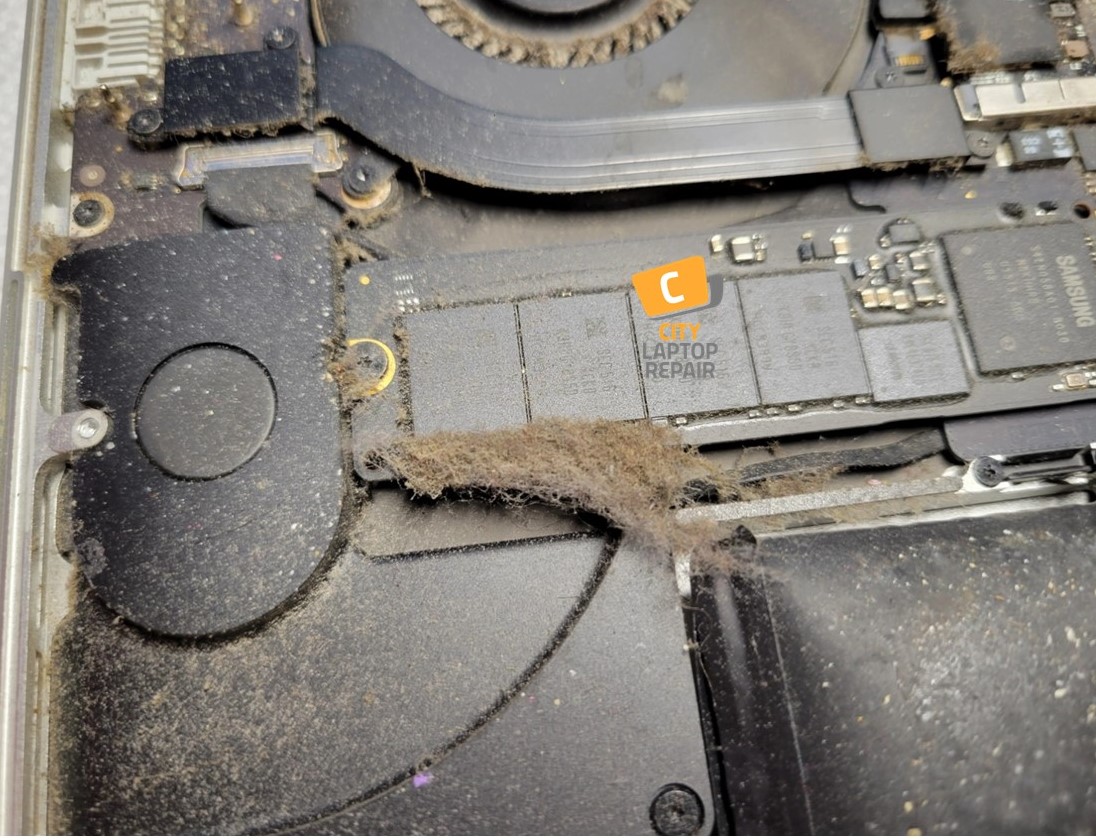
Often asks, “Do I need to service my laptop?” If your fans are constantly running or your speed has dropped, the answer is yes. Regular maintenance prevents hardware breakdowns and keeps your system running at peak performance. Our professional laptop servicing improves cooling and performance to protect your investment—whether you’re gaming, creating, or handling admin tasks.


Laptop Service Pricing
Fast Turnaround and Free Pickup & Return Service
We aim to complete most services within the same day. We offer a FREE pickup and return service via courier. This makes it easy and convenient to get your device to us without leaving your home or office.


Common Laptop Problems We Fix
If you are experiencing any of the following, your laptop likely needs immediate attention:
- – Loud Fan Noise: Your fan is working overtime to compensate for a blocked heat sink.
- – Sudden Shutdowns: A safety feature triggered by the CPU reaching dangerous temperatures.
- – Charging Issues: We fix loose charging ports and repair USB ports for intermittent connections.
- – Battery Drain: If your battery isn’t holding a charge, it may be nearing the end of its life.
- – Slow Performance: Often caused by the system slowing itself down to stay cool.

What’s Included in Our Laptop Service
Our laptop servicing goes beyond basic cleaning—we perform a complete internal service to maintain reliability and performance.
1. Laptop Dust Cleaning. We fully disassemble your laptop to access the motherboard and cooling assembly. We safely remove dust buildup from delicate components using anti-static tools. Unlike “compressed air” methods that commonly just push dust deeper into the machine, we remove the debris entirely
2. Cooling System Service. We don’t just clean the fans; we service the entire thermal chain. We remove the old, crusty thermal paste and apply high-quality, enthusiast-grade thermal compound. This ensures maximum heat transfer, often reducing operating temperatures by 10°C to 20°C.
3. Precision Reassembly & Alignment. Modern laptops use dozens of screws of different lengths. Our technicians make sure every component is reassembled with factory-spec alignment and pressure, providing proper internal connections and preventing “ghost” hardware issues.
4. Comprehensive Hardware Stress Testing. Once reassembled, we don’t just turn it on. We run a suite of diagnostic tests to ensure your hardware is healthy:
- – SSD/Hard Drive Health: Checking for failing sectors or slow read/write speeds.
- – RAM Stability: Making sure your memory isn’t causing system crashes.
- – CPU/GPU Thermal Benchmarking: Verifying that the cooling system is performing under heavy loads.
If we find hardware failure, we can assist with repairs to the MacBook screen or battery, or to Microsoft Surface laptop components.
5. Driver Updates. We update system drivers to the latest manufacturer versions for best performance.
Why Choose Our Laptop Servicing?
- – Experienced and skilled technicians
- – Thorough internal servicing (not just surface cleaning)
- – Safe handling of delicate components
- – Reliable turnaround times
- – Transparent and upfront pricing
Important Information
- – A minimum $95.00 inspection fee applies if you choose not to proceed with the repair.
- – While rare, there is always a small risk of hardware failure during repair—especially with devices that have prior damage (such as liquid or impact damage).
Book Your Laptop Service Today
Get your laptop running smoothly again with our professional servicing.
👉 Contact us today to book your FREE pickup or request a quote.